Frequently Asked Question
ONVIF Device Manager - Test ITVDesk as an ONVIF virtual camera
Last Updated 2 months ago
ONVIF Device Manager is a useful tool for checking whether ITVDesk is visible on the local network as an ONVIF-compatible virtual IP camera before adding it to a VMS, NVR, XVR or DVR system.
This workflow is helpful during installation, troubleshooting, firewall checks, ONVIF discovery tests, and customer demonstrations. ITVDesk exposes the selected desktop, application, RTSP/SRT/RTSPS source, or other configured source as an ONVIF virtual camera, and ONVIF Device Manager can be used to verify discovery, device information, profiles and live stream access.
When to use this test
- Before adding ITVDesk to a production VMS or NVR.
- When ONVIF discovery does not find the ITVDesk virtual camera automatically.
- When you want to confirm ONVIF username, password, IP address and port configuration.
- When checking whether the live stream is reachable over RTSP or RTSPS.
- When documenting a customer or integrator setup before final VMS/NVR configuration.
Basic workflow
- Start ITVDesk and create or select the virtual IP camera profile.
- Select the source you want to expose, for example a desktop screen or an external stream source.
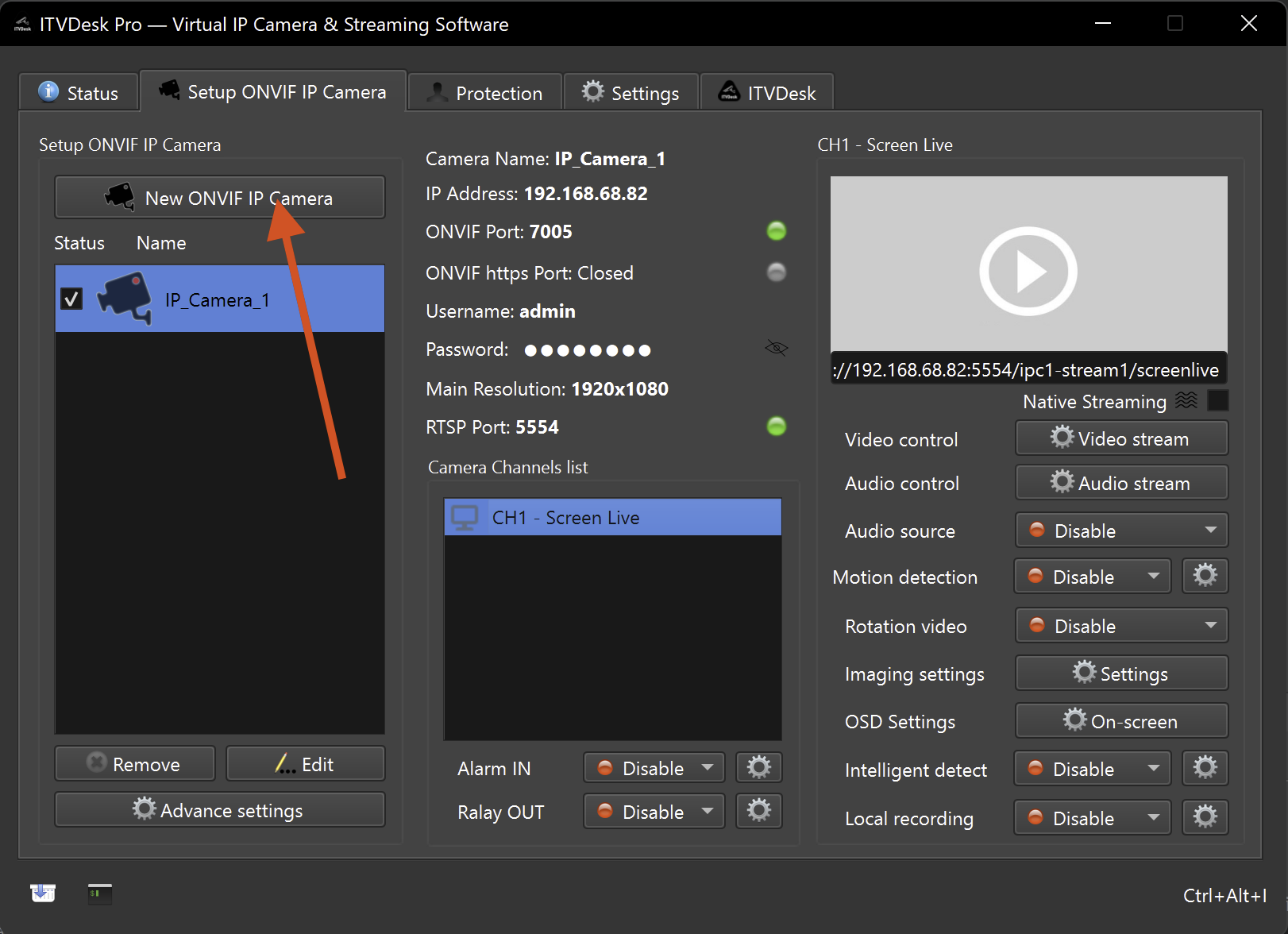
- Confirm that the ITVDesk camera is running and note the local IP address, ONVIF port and RTSP/RTSPS stream information.
- Open ONVIF Device Manager on the same LAN or routed network.
- Search for ONVIF devices and select the ITVDesk virtual camera.
- Verify device information, media profiles and live video preview.
- If the test works, use the same IP address, ONVIF port and credentials when adding ITVDesk to your VMS/NVR.
Video guide
The following video shows ITVDesk working together with ONVIF Device Manager:
Watch: Use ITVDesk with ONVIF Device Manager
Tip: If ONVIF Device Manager cannot detect ITVDesk, check that the ITVDesk camera is running, the ONVIF port is open, authentication settings are correct, and Windows Firewall or network policy is not blocking UDP 3702 discovery or the configured ONVIF/Web port.